Coming soon

Wan 3.0. All-in-one AI video generation.

A native 30-second single take, four generation modes in one place, up to 20 reference assets, and documents or web pages read straight into the video. Available anonymously on Venice.

Three ways in

Pick the mode before the settings

Venice opens all four Wan 3.0 modes. Which one you choose decides what you need to prepare and which settings your assets take out of your hands.

Text to Video

Prompt only, no upload. The fastest way to try an idea out.

  • Describe the scene, the action, the camera move and the mood, and the model builds it from nothing.
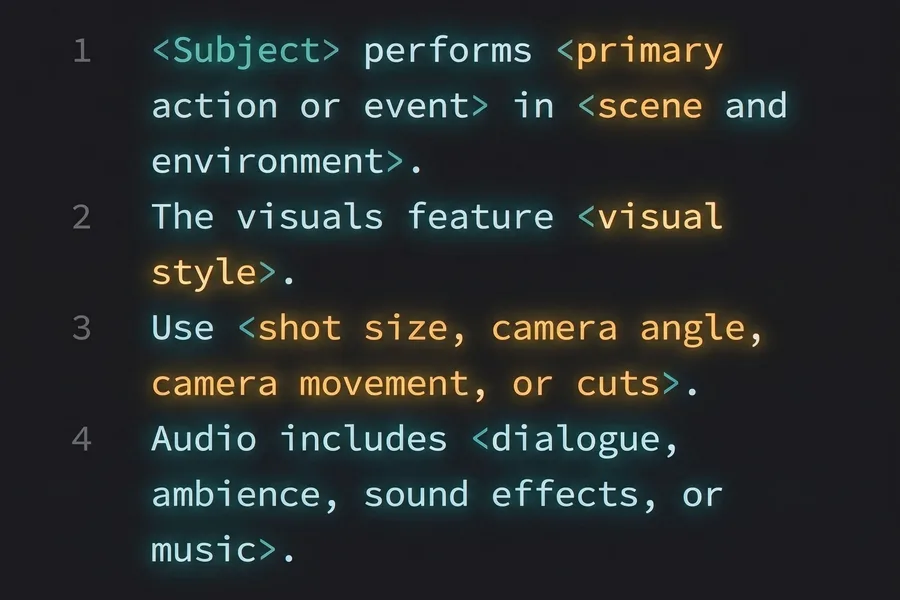
  • Up to 5,000 prompt characters, with a negative prompt to rule things out.
  • Intelligent duration picks a length from your prompt, or set it yourself up to 30s.
Image to Video

One image as the first frame, and the model generates what follows.

  • The shortest route when you already have a key visual or a product shot.
  • Accepts an audio upload, so the result comes back with sound.
  • JPG or PNG up to 20 MB, 240 to 7,680 pixels on each side.

Reference to Video

Steer the result with your own material, including documents and pages.

  • Up to 20 reference assets in one job across images, video and audio.
  • Doc, xls, ppt, pdf and md files or a web page read as reference input.
  • Keep reference video under 15 seconds; input and output stay within 30.

Specs

Duration
30s3s, 5s, 10s, 15s or 30s. Default 5s. The 30s is a native single take, not stitched.
Resolution
1080p480p, 720p or 1080p. Rough the idea out at 480p, finish at 1080p.
Modes
4Text to video, image to video, first and last frame, and reference to video.
Audio
NativeGenerated with the picture, on by default and switchable.
Prompt characters
5,000Room for full shot direction, plus a negative prompt and prompt expansion.
R2V references
20Images, video, audio, documents or web pages in a single job.

Benefits

  • 01

    Your material, straight in

    Up to 20 reference assets in a single job, including doc, xls, ppt, pdf and md files. A product spec or a competitor's page becomes source material without being rewritten first.

  • 02

    Native 30 seconds, not stitched

    One clip can hold a full emotional arc, so continuous camera moves and one-take shots have room to play out.

  • 03

    Consistency built for delivery

    Characters, props, voices, spatial relationships and overall style hold steady from shot to shot. Whether the same face survives a cut is the line between a demo and something you can hand over.

  • 04

    Picture and sound in one pass

    Audio generation is a switch on the form, so picture and sound come out together. No separate scoring pass, and no syncing afterwards.

  • 05

    Change one thing, keep the rest

    Say which part should change — the picture, the action, a line of dialogue — and the rest of the cut stays as it was instead of being regenerated from scratch.

  • 06

    Anonymous by default

    Your prompts, references and the documents you feed it are never stored or trained on. Generated on Venice, and gone when you are done.