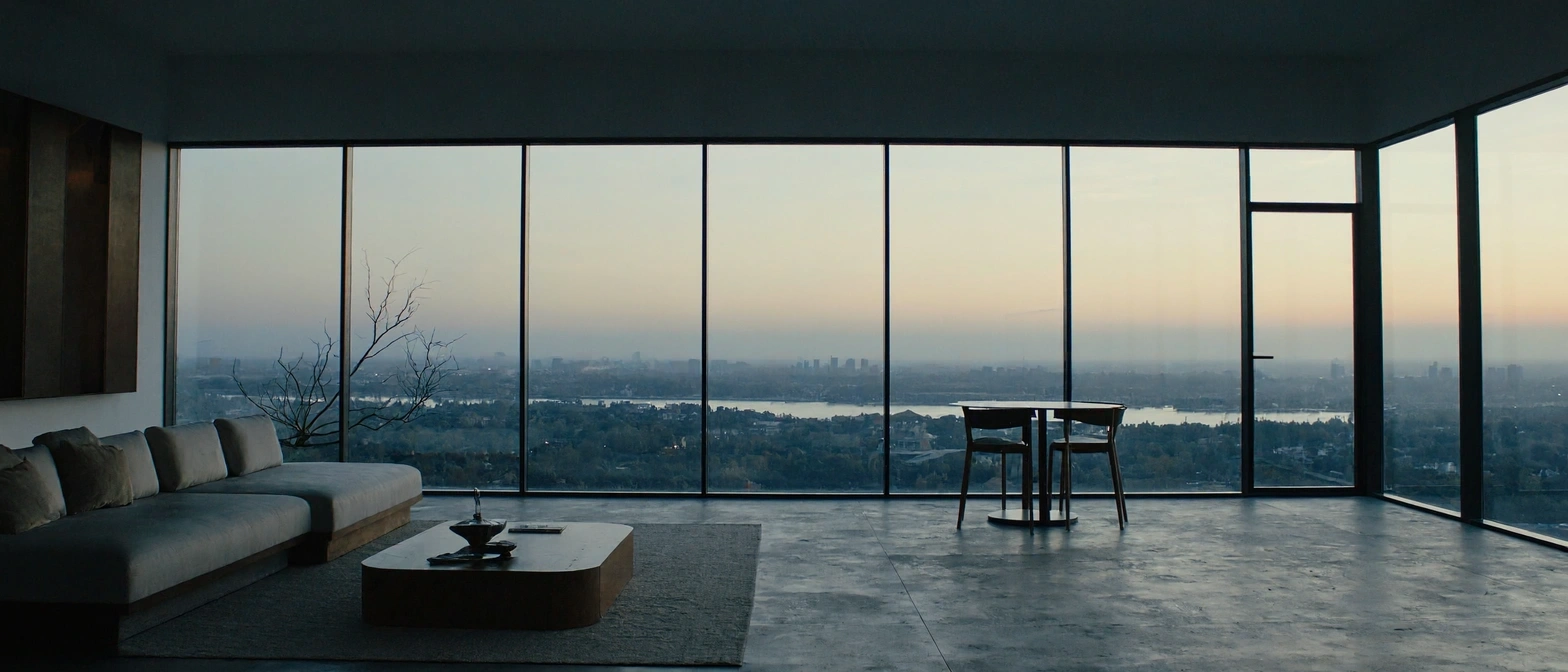
MiniMax H3 Image
MiniMax's open-weight image model — native 16MP output in six sampling steps, unified generation and editing, and up to 16 reference images per run.
curl https://api.venice.ai/api/v1/image/generate \
  -H "Authorization: Bearer $VENICE_API_KEY" \
  -H "Content-Type: application/json" \
  -d '{
    "model": "minimax-h3-image",
    "prompt": "A serene mountain lake at dawn, photorealistic"
}' --output image.pngOverview
What is MiniMax H3 Image
MiniMax H3 Image is MiniMax's open-weight image generation and editing model, released on November 10, 2026. Built on a six-step distilled diffusion transformer, it produces native 16-megapixel images (4096×4096) without an upscaler, follows detailed prompts closely, and edits from up to 16 reference images in a single checkpoint.
Using it anonymously on Venice
On Venice, MiniMax H3 Image runs under the anonymized privacy tier — your prompts are not stored, profiled, or tied to a personal generation history. You pay per image in credits instead of a subscription, so occasional 4K renders stay cheap. And because the weights are open, the same model you use privately on Venice is one you can also self-host in ComfyUI on your own hardware.
Specifications
Datasheet
- Maker
- MiniMax
- Modality
- Text-to-image, reference-based generation, image editing
- Open weights
- No
- License
- MiniMax H3 Community License (open weights, with excluded territories)
- Resolutions
- 1K, 2K, 4K
- Modes
- Text-to-image and reference-image editing from one checkpoint — a run with images attached is an edit, a run without is generation
- Prompt limit
- 10,000 chars
- Input images
- Up to 16 reference images
- Released
- November 10, 2026
- Architecture
- Diffusion transformer (H3 DiT without audio layers) with the MiniMax-H3 / Qwen3-VL text encoder; distilled to 6 sampling steps at guidance 1, no classifier-free guidance
- Native output
- Up to 4096×4096 (~16 MP), generated directly without an upscaler
- Aspect ratios
- 1:1, 5:4, 4:3, 3:2, 16:9, 21:9, 4:5, 3:4, 2:3, 9:16, 9:21
- Privacy on Venice
- Anonymized — prompts not stored
- Available on Venice since
- Nov 2026
Assessment
Strengths and limitations
- Native 16-megapixel output (4096×4096 at 1:1, up to 6272×2688 at 21:9) generated directly — no upscaler stage inflating soft detail.
- Speed: MiniMax reports a full 4K image in under 10 seconds, which makes high-resolution iteration practical rather than a batch-and-wait job.
- One checkpoint does both generation and editing: hand it up to 16 reference images for character- and scene-consistent work without switching models.
- Open weights, natively supported in ComfyUI, so the exact model you use on Venice can also run on your own GPU.
- Fixed six-step sampling at guidance 1 means there is nothing to tune — no CFG slider, no negative prompt, just the prompt.
- Strong instruction following: MiniMax built the post-training pipeline around turning creative intent into concrete characters, scenes and atmosphere.
- No transparent backgrounds: the model outputs opaque raster only, so alpha-channel workflows need a different tool.
- No negative prompt and no guidance tuning; the six-step, guidance-1 setup is fixed by the checkpoint.
- Layout control is prose-only: there is no bounding-box or coordinate system for placing elements, unlike Flux 3's grid-based control.
- The Community License excludes some territories (including the EU, UK, South Korea and the US) from its scope, which matters for commercial self-hosting.
- Very new: released November 10, 2026, with no independent benchmark coverage yet, so quality claims rest largely on MiniMax's own evaluations.
Use cases
What it is good for
- 01Print- and billboard-grade assets that must survive heavy cropping at full 16-megapixel resolution.
- 02Product and character consistency across a set, driven by up to 16 reference images.
- 03Fast 4K iteration for creative workflows where waiting minutes per render breaks the loop.
- 04Self-hosted pipelines in ComfyUI, using the same open weights locally that Venice serves privately.
- 05Cinematic wide-format frames (21:9) generated natively rather than cropped from square.
Prompting
Getting better results
Attach reference images to switch the model into editing mode — the same checkpoint edits when images are connected and generates when they are not.
Iterate at 1K ($0.04) and only re-render the winning prompt at 4K ($0.10) — the prompt, not the resolution, does the creative work.
Pick the aspect ratio deliberately: 21:9 for banners and cinematics, 9:16 for vertical social, 1:1 for product squares — all are native, not crops.
There is no negative prompt, so phrase exclusions positively: write "empty studio background" instead of "no clutter".
Use the 10,000-character prompt budget — this model was trained to develop detailed creative intent, so scene, mood and material descriptions pay off.
Don't try to tune sampling steps or guidance — they are fixed at six steps and guidance 1; spend your effort on the prompt instead.
Samples
Sample outputs
Generated on Venice with our standard prompt suite — the same prompts we run through every model of this type, so you can judge it like-for-like.
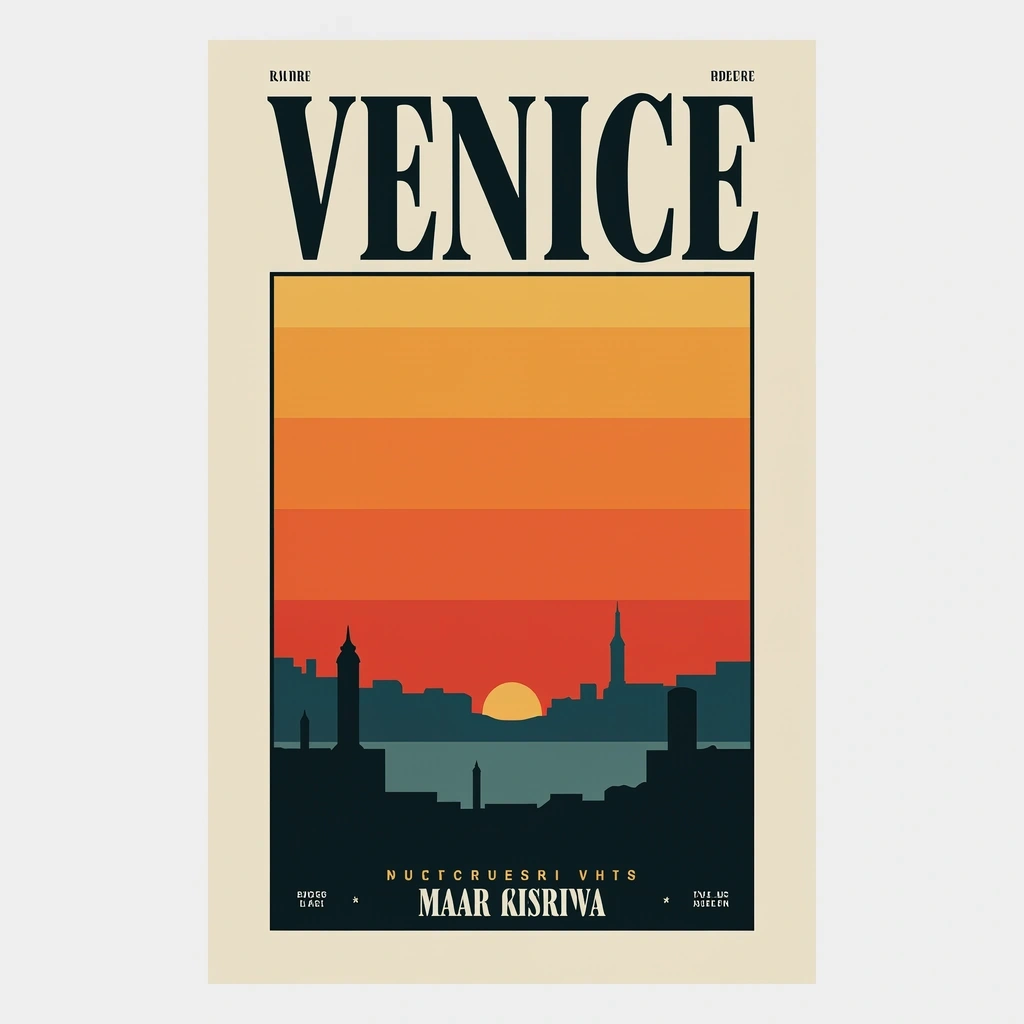
A retro travel poster with the bold headline "VENICE" in large condensed serif type, sunset color palette, clean layout
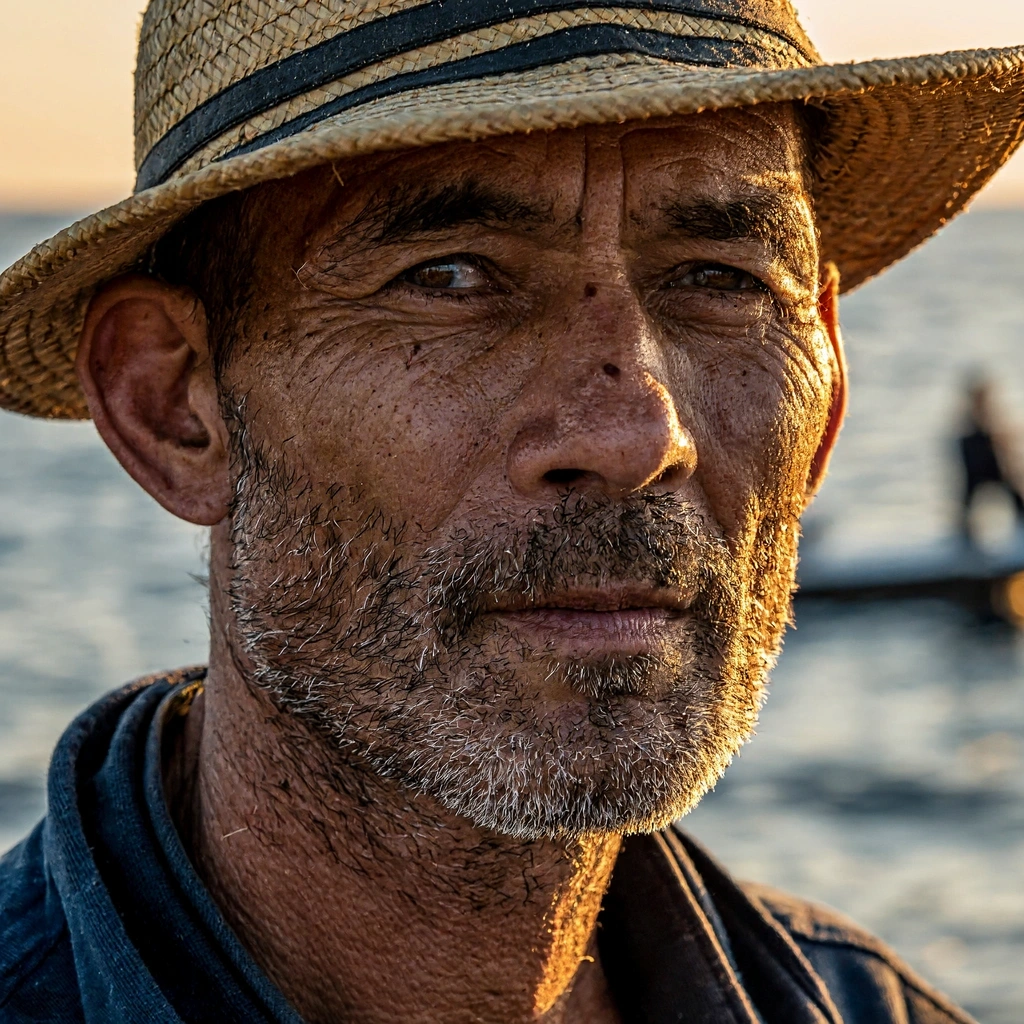
Photorealistic close-up portrait of a weathered fisherman at golden hour, 85mm lens, shallow depth of field, natural skin texture
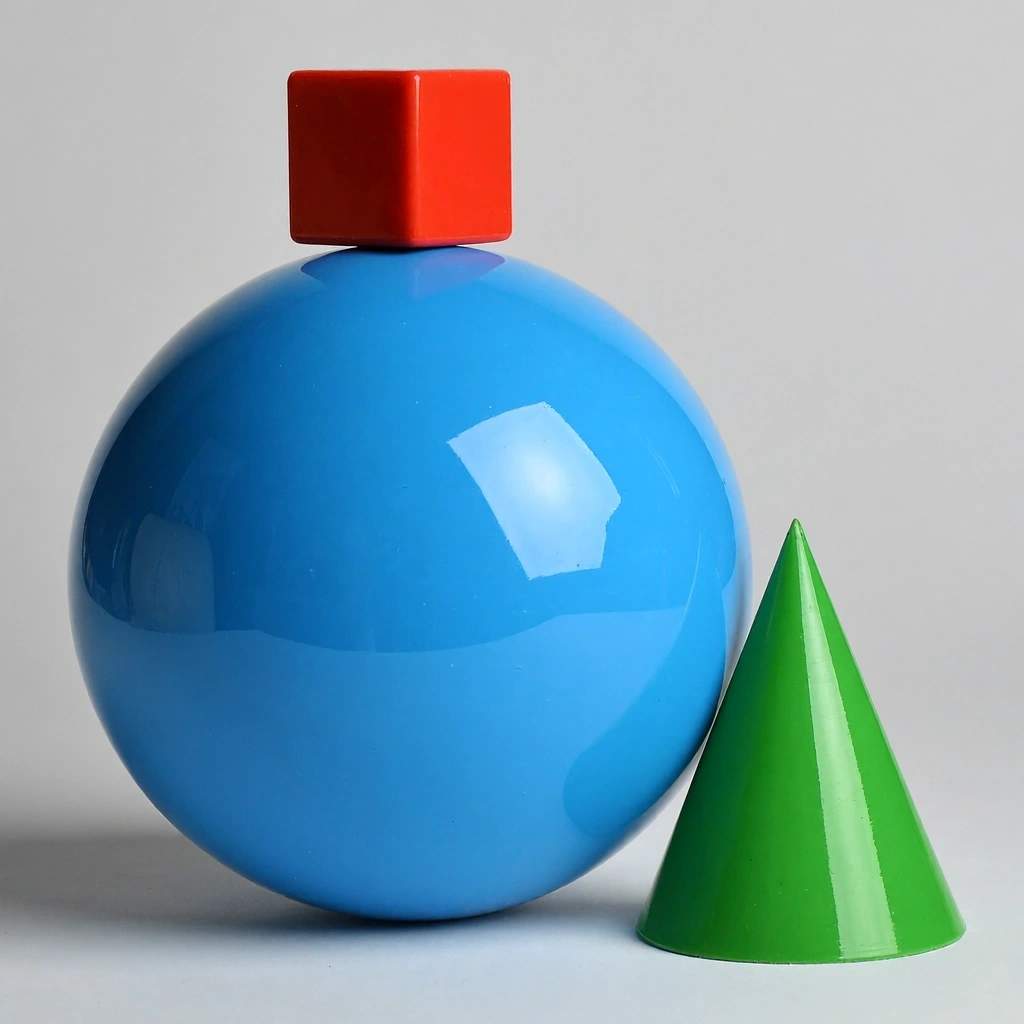
A small red cube balanced on top of a large glossy blue sphere, with a green cone to the right, plain light-grey studio background

Cozy watercolor illustration of a hillside village in autumn, warm tones, soft paper texture
Alternatives
How it compares
| Model | Best for | Max resolution | Open weights | Price (Venice) |
|---|---|---|---|---|
| MiniMax H3 Image | Fast native 4K + reference editing | 4K | No | from $0.04 / image |
| Flux 3 | Precise layout control | 4K | No | from $0.12 / image |
| Krea 2 Turbo | Open-weight speed at 2K | 2K | Yes | from $0.04 / image |
| Chroma | Budget open-weight generation | — | Yes | $0.01 / image |
MiniMax H3 Image is the right pick when you need full-resolution 4K files fast, want to edit from a pile of reference images, and prefer open weights — Flux 3 stays ahead only when elements must be placed at exact coordinates.
API
Call it from your code
Venice exposes this model through the REST API. Queue a generation with the model id.
curl https://api.venice.ai/api/v1/image/generate \
  -H "Authorization: Bearer $VENICE_API_KEY" \
  -H "Content-Type: application/json" \
  -d '{
    "model": "minimax-h3-image",
    "prompt": "A serene mountain lake at dawn, photorealistic"
  }' --output image.png
Pricing
What it costs on Venice
Pay per image on Venice — price scales with resolution, from $0.04.
New Venice accounts include a free daily allowance and 500 welcome credits — no credit card required.
FAQ
Frequently asked questions
MiniMax H3 Image is an open-weight image generation and editing model from MiniMax, released November 10, 2026. It is a six-step distilled diffusion transformer that generates native 16-megapixel images (4096×4096) without an upscaler and edits images from up to 16 references, all in a single checkpoint.
On Venice you pay per image: $0.04 at 1K and 2K, and $0.10 at 4K. There is no subscription required — heavier use is simply billed per generation in credits.
The weights are open — MiniMax published them on Hugging Face under the MiniMax H3 Community License, and the model runs natively in ComfyUI. The license carries territorial restrictions (excluding, among others, the EU, UK, South Korea and the US from its scope), so check the terms before commercial self-hosting. On Venice, using the hosted model costs $0.04 per image at 1K/2K.
Up to 4096×4096 — about 16 megapixels — generated directly at full resolution with no upscaler. On Venice you can choose 1K, 2K or 4K targets across eleven aspect ratios from 1:1 to 21:9 and 9:21.
Yes. Generation and editing share one checkpoint: provide up to 16 reference images and the model performs reference-based editing and character/scene-consistent generation; run it without references and it does plain text-to-image.
Choose MiniMax H3 Image for fast native 4K output, multi-reference editing, and open weights. Choose Flux 3 when you need coordinate-level layout control — it accepts bounding boxes on a 0–1000 grid, which H3 Image does not offer. Both reach 4K on Venice; H3 Image is cheaper per image.
No. The model outputs opaque raster images and transparent backgrounds are not supported — third-party coverage of the API reference notes this explicitly. For alpha-channel work, generate on a flat background and cut out in an editor, or use a different model.
Venice runs the model under its anonymized privacy tier: prompts are not stored, profiled, or used for training, and generations are not tied to a personal account history. Note that this tier is anonymized rather than end-to-end encrypted or TEE-isolated.
Use MiniMax H3 Image anonymously
Venice does not store your prompts. Chat history stays in your browser.